nautivia.eu · 9 clips · ~1,300 frames · 11 stops · still far from perfect
A homepage you scroll like a film
Behind nautivia.eu there are about eleven useful things, and nobody reads a homepage. So the homepage became a short film that plays as you scroll: a car boards a ferry, someone walks on to a catamaran, and at the end they pick up a mooring buoy from a sailboat. At every stop the film halts and shows one feature with its live data. It is still far from perfect and I am still tuning the sequences. This is how it is built and the rules I learned on the way.
The problem
The live ramp queue, the camera at the ramp, how long a crossing takes and what it costs, the wind, day trips across every operator, anchorages, marinas and fuel, which bay is sheltered from today's wind, reserving a buoy and paying by card. Each of these exists, on croatianferries.com or nautivia.app. The homepage showed three cards. People tapped one and never learned the rest was there.
The film
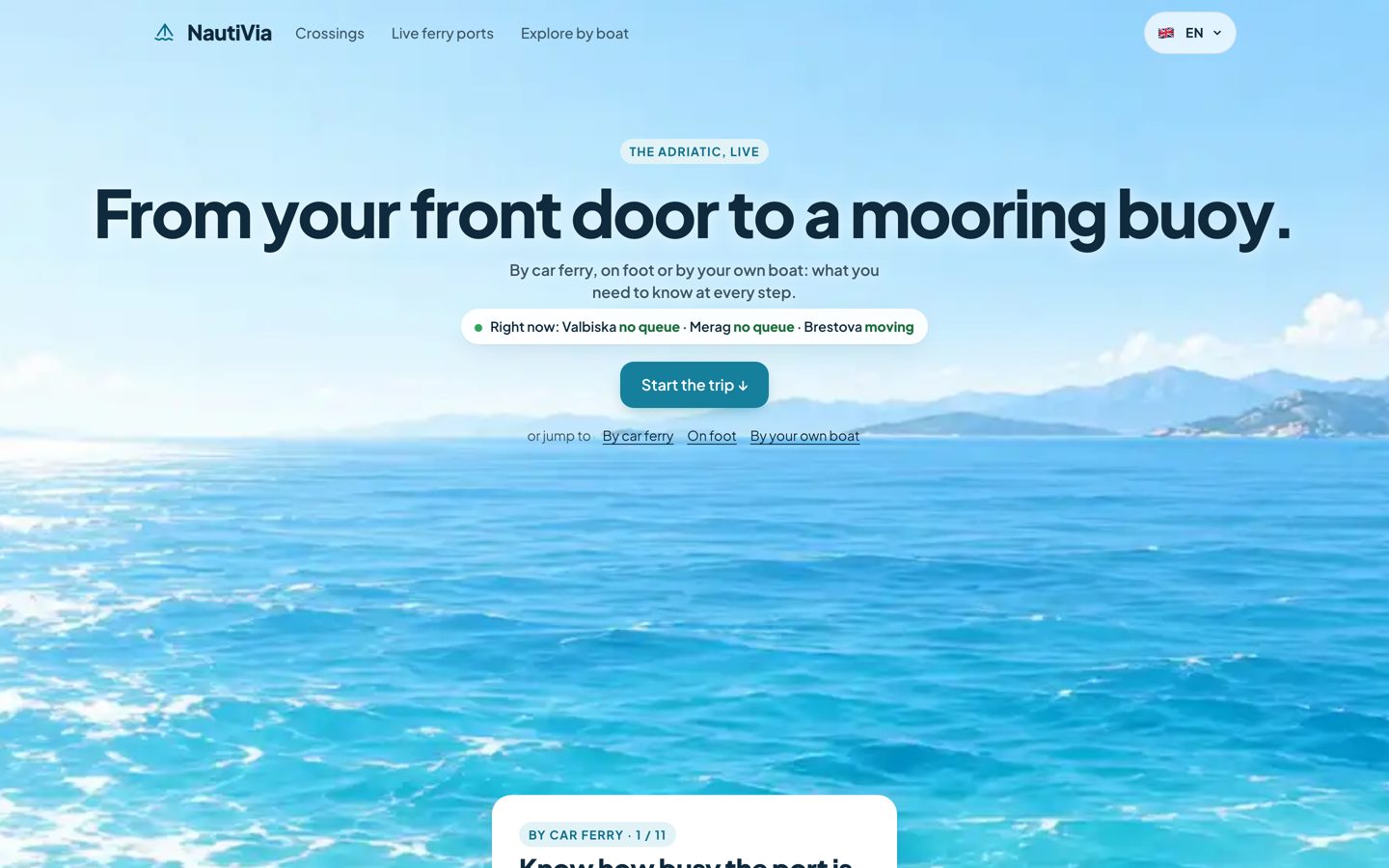
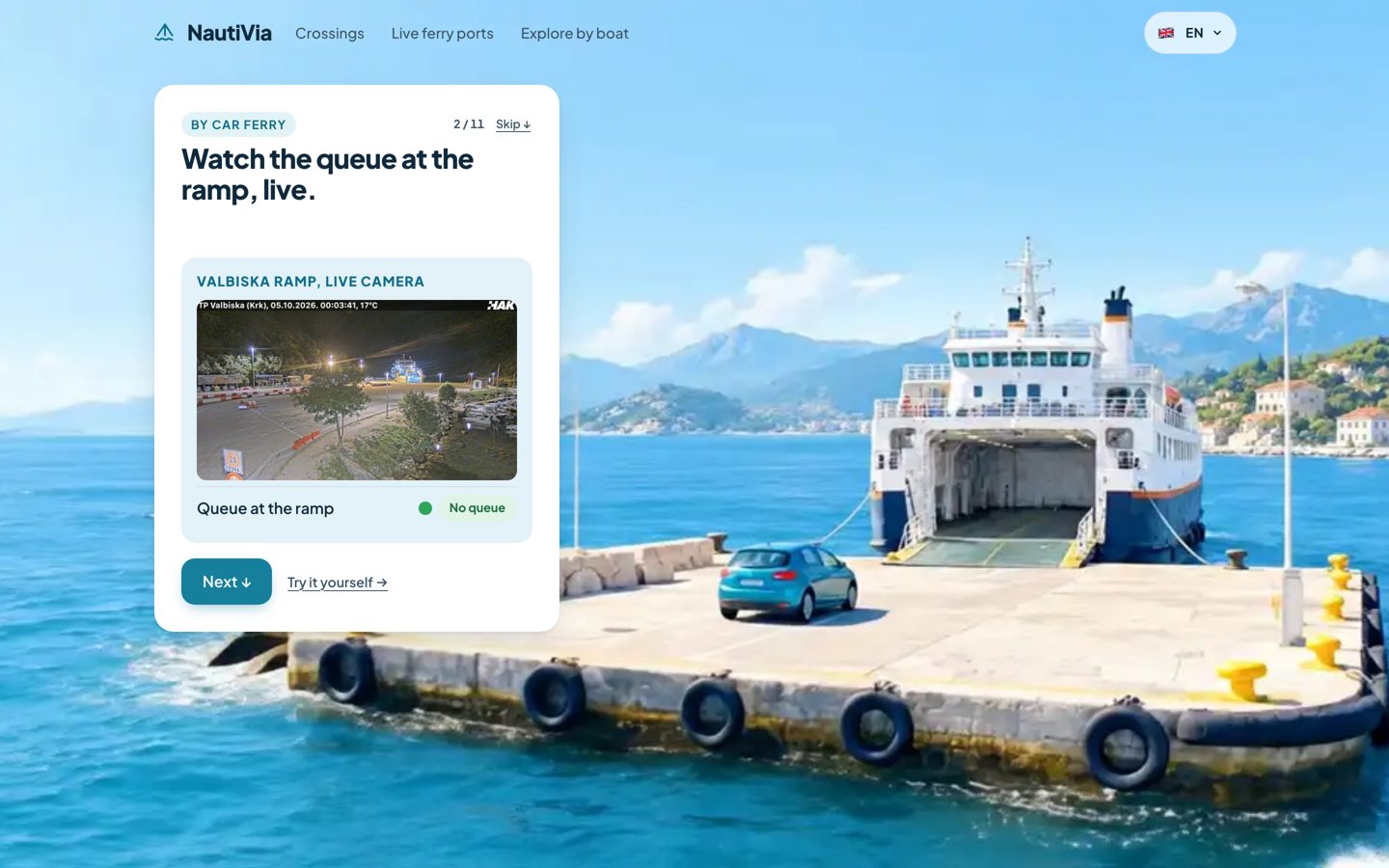
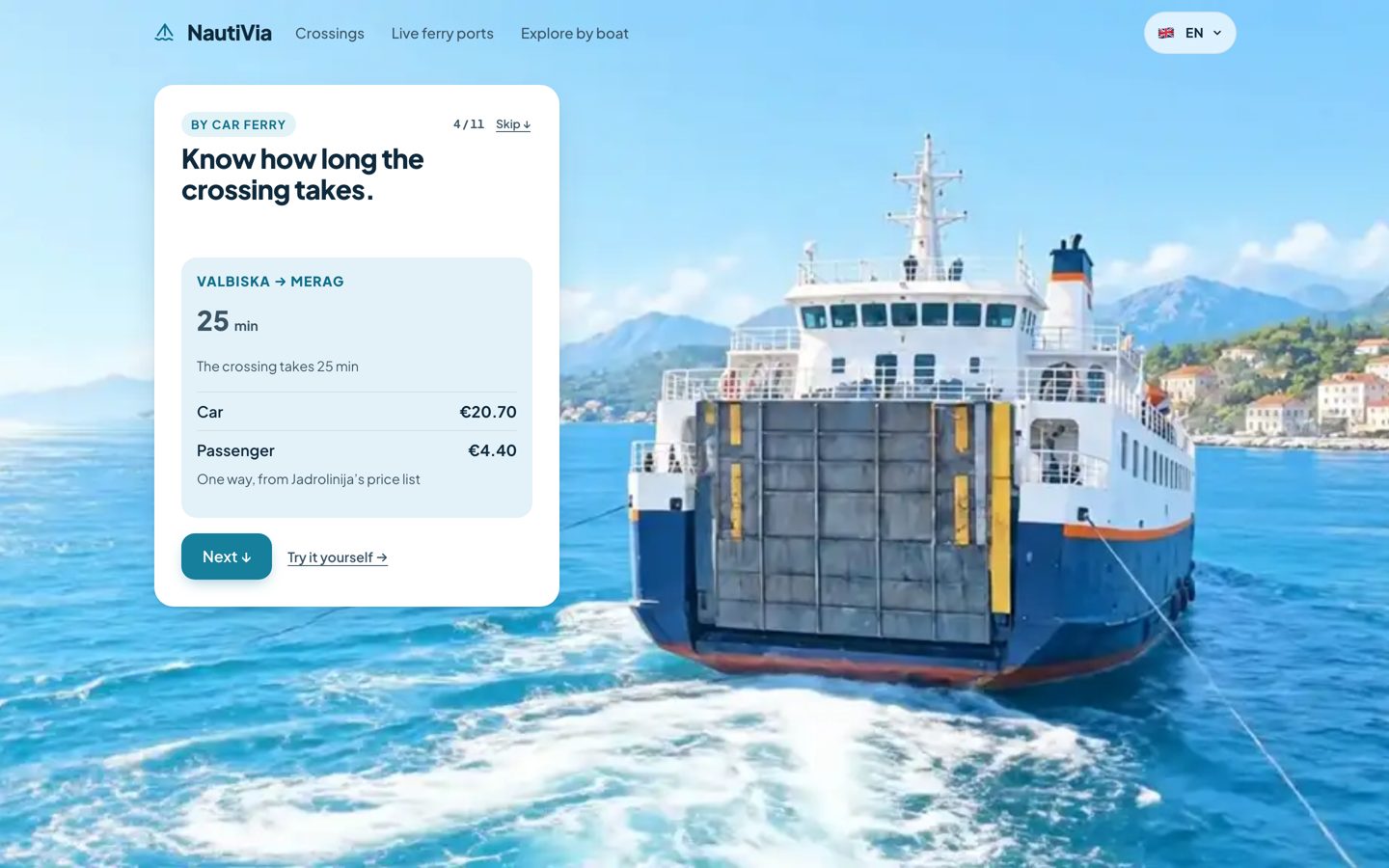
Three chapters, by car ferry, on foot, by your own boat, eleven stops. At each stop a card says one thing and proves it with live data from the same sources the products use.
How it is built
- Keyframes. Still images generated with an AI image model, one per story beat, in 16:9.
- Clips. Google's Veo (through Flow) makes a short clip between every two keyframes, so each clip starts and ends on a frame I control and they join without a jump.
- Frames. Each clip is extracted with ffmpeg into a numbered frame sequence. Nine transitions, about 1,300 frames in total.
- Canvas. The page draws the right frame on a canvas for the current scroll position, so every scroll position lands on an exact frame.
- Story time. Scroll position maps to a story time, not straight to a frame. Every gap between two stops is the same swipe (80% of the screen), however long the clip in between, so a long shot never feels like a longer scroll.
Claude Code wrote the code. I was the eyes, and for that I needed a tool.
A debugger inside the page
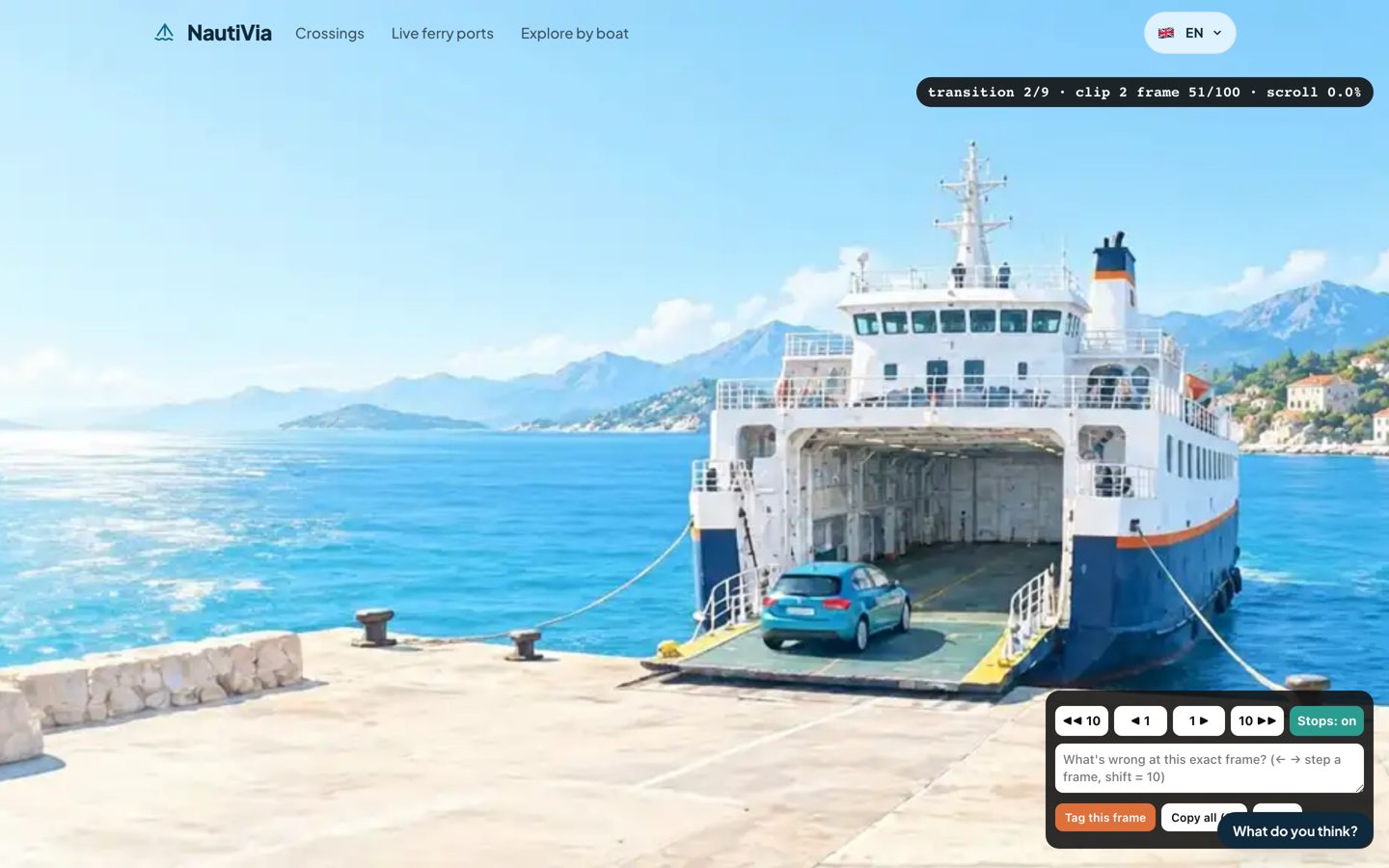
?tag=1: step a frame (arrow keys, shift for ten), switch the stops off, write a note on the exact frame.With the debugger on, the page shows which clip and frame you are on, the arrow keys step one frame, and a box takes a note for that exact frame. The notes come back to me as a list with links that reopen the page on that frame. That is how I could say "the stop is in the middle of the car driving on, move it about twenty frames back" and get exactly that.
The switch that turns the stops off came from frustration: at one point it stopped stopping where it should and jumped over the messages, and I needed to explore freely and then go back to the real behaviour.
The rules
Motion, stop with a message, motion
Never text over a moving picture. A message that changes while the picture moves is not read. The film moves, stops, shows one card, and only moves again when you scroll on.
Every stop locks
Each stop is an invisible marker with scroll-snap-align: start and scroll-snap-stop: always, and scroll-snap-type: y mandatory is switched on only while the film fills the screen. On touch, the browser's own snap honours stop: always. On a mouse or trackpad one hard flick still skipped several stops in Chrome, so a wheel handler counts a burst of wheel events as one gesture and moves exactly one stop.
A speed cap
Playback chases the scroll position but never faster than 25 frames a second. Without the cap a fast scroll feels like fast-forward. With it, the film catches up a moment after your finger stops.
Never skip frames
There was a shortcut: if the target was more than about a clip away, cut straight to it instead of playing. On a normal scroll it fired, and the best shots in the film, the car boarding and the ferry door closing, disappeared. Now the film only cuts when you press Skip or jump to a chapter.
Stop before the action
A stop with the car halfway up the ramp looks broken. The stop sits a beat before the motion starts, so the motion is what you get for scrolling on.
The big button keeps you in the story
The main button on every card is Next. The way out is a small "Try it yourself" link next to it. The big button used to take people out to the product, out of the story.
The proof lives inside the card
The live data first sat in a separate panel beside the text. The eye jumped there and lost the thread. On desktop it is now an inner card inside the message, between the line and the Next button. On a phone the message sits at the bottom and the live example at the top.
The opening needs a reason to start
A headline alone does not make anyone scroll. The opening shows a live line with the ramps right now, a Start the trip button, and the edge of the first card peeking up from the bottom. The old and the new opening run as an A/B test.
Never crop a wide film for a phone
I tried. It looked bad. The phone version is being reshot as a separate 9:16 set of keyframes and clips; part of it is done, the rest is waiting on generation credits.
The ending is the real homepage
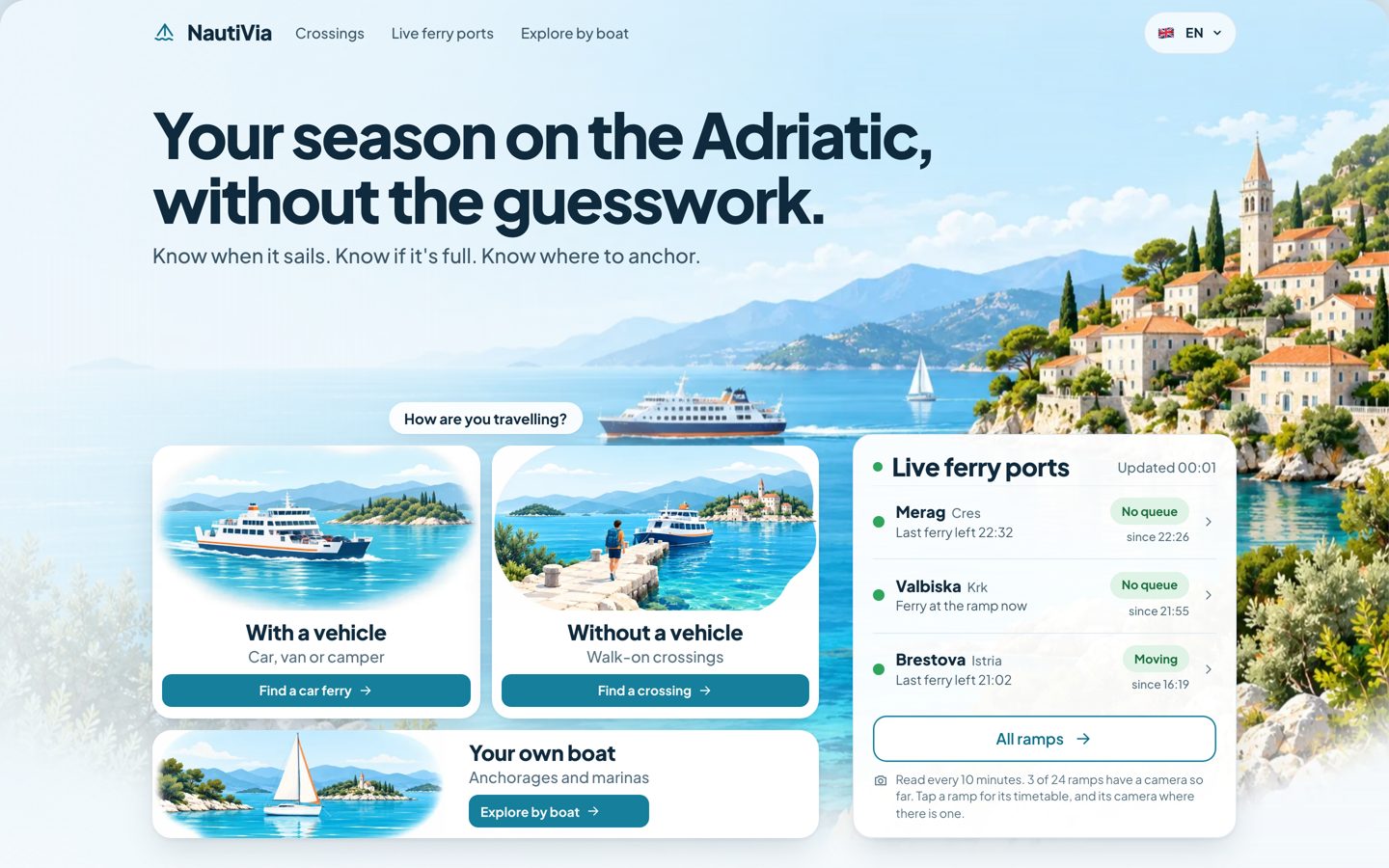
I first ended on a "the whole trip" card. A summary card turned out to be a bad place to lock the scroll. The last stop is now the normal homepage, one full screen with nothing more to scroll, and by the time you land on it you have seen what each card leads to.
A technical trap
The site's Content Security Policy has no unsafe-inline, so a style="" attribute in generated HTML is silently dropped. All the snap markers landed at the same position until they were positioned through the CSSOM (el.style.top = ...) instead.
What I would not do again
- Cut frames to "save time" on a big scroll.
- Crop the desktop film for phones.
- Put the live proof in a second card next to the message.
- End on a summary card instead of the page people came for.
Tell me where it breaks
Scroll to the end and tell me where you got stuck, where you got bored and where you wanted to skip. It is far from perfect.